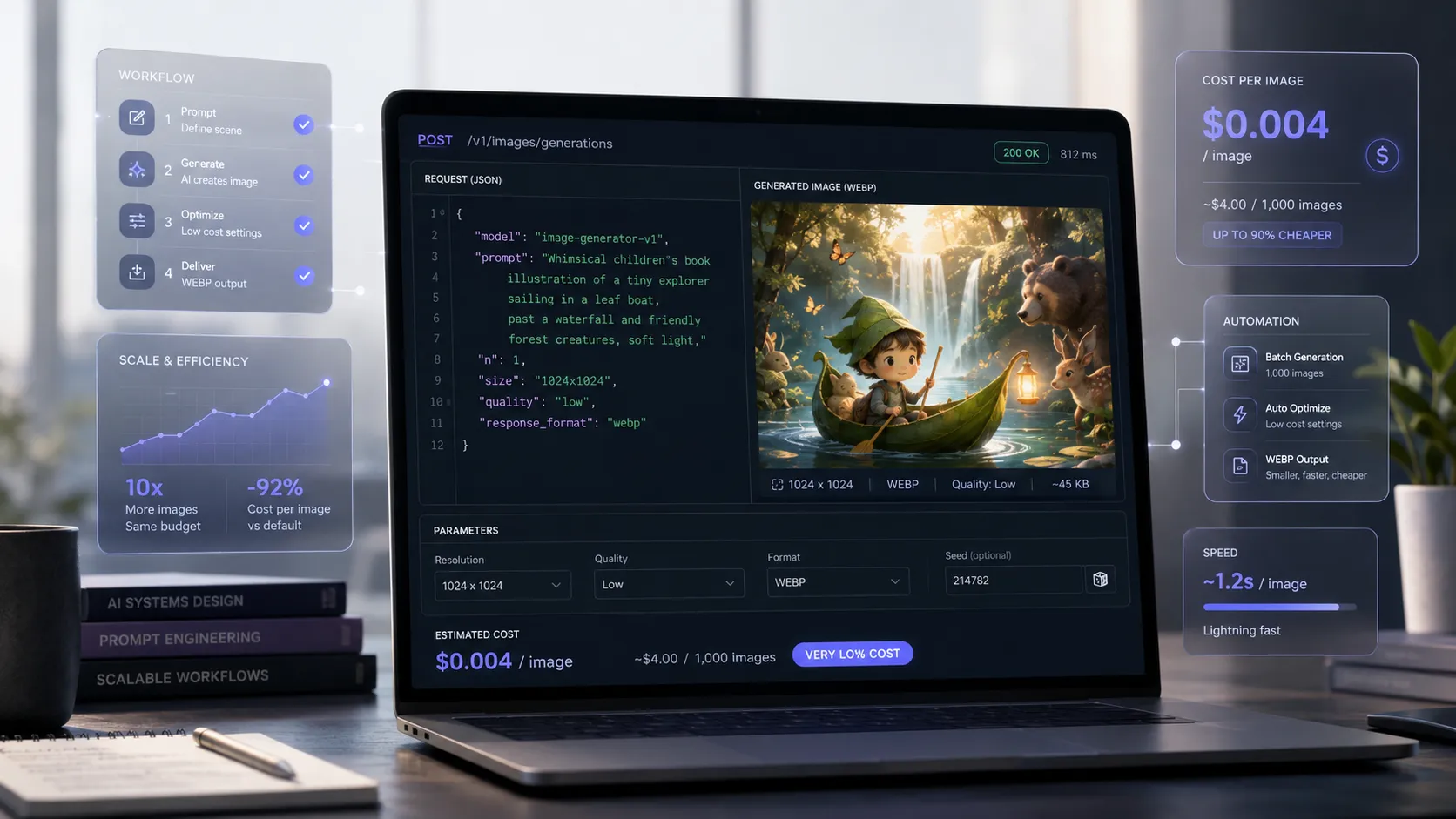
How to Generate Very Cheap Images on Runware with gpt-image-2
With the right setup, it is already possible to generate good quality images with the gpt-image-2 model on Runware for about US$ 0.004 per image. In other words: less than the emotional cost of opening LinkedIn on a Monday.
For a long time, generating images with artificial intelligence in good quality seemed something reserved for occasional tests, larger budgets, or experimental projects. But this scenario has changed.
Today, using Runware with the model openai:gpt-image@2, it is possible to create a highly economical workflow for generating editorial images, article covers, thumbnails, conceptual pieces, illustrations for blogs, and support materials for communication.
And the most important point: we are not talking theory. We are talking real cost.
The Number That Matters: What Did It Really Cost?
In a real test, the following configuration was used:
- Model:
openai:gpt-image@2 - Resolution: 1280 x 720
- Quality: low
- Format: WEBP
- Quantity: 1 image
The API response returned the generation cost:
{
  "data": [
    {
      "taskType": "imageInference",
      "imageUUID": "3cc23845-1a2d-4a85-9d53-b64f4d8919af",
      "taskUUID": "44391178-9de3-478b-8949-194f3146b09c",
      "cost": 0.004075,
      "imageURL": "https://im.runware.ai/image/os/a08dlim3/ws/3/ii/3cc23845-1a2d-4a85-9d53-b64f4d8919af.webp"
    }
  ]
}
That is:
Cost per image: US$ 0.004075
This means that an image at 1280 x 720, using gpt-image-2 via Runware, cost just over four tenths of a cent.
In an approximate conversion, depending on the dollar exchange rate, we are talking about something close to R$ 0.02 per image.
For those who produce content at scale, this completely changes the conversation.
What Does This Value Represent in Practice?
Based on this real cost of US$ 0.004075 per image, it is possible to estimate:
- 10 images: approximately US$ 0.04075
- 100 images: approximately US$ 0.4075
- 1,000 images: approximately US$ 4.075
Even considering currency fluctuations, generation remains extremely competitive for content operations, agencies, portals, blogs, and editorial projects.
The cost stops being the main barrier. The challenge becomes another: building an intelligent workflow to generate useful, well-targeted, and visually coherent images.
Why Did It Become So Cheap?
The low cost did not happen by chance. It was the result of a simple combination of settings.
1. Quality set to low
In the OpenAI provider within Runware, the following was used:
"quality": "low"This setting reduces the generation cost and, in many cases, still delivers a very good result for editorial use.
For articles, blog posts, conceptual illustrations, internal images, creative tests, and thumbnails, the low quality can be more than enough.
2. Only one image per generation
The configuration used was:
"numberResults": 1This is essential for cost control.
Many people waste credits by requesting multiple images per round before even validating if the prompt is good. The ideal is to generate one image, evaluate the result, adjust the prompt, and only then repeat if necessary.
3. Output in WEBP
The format used was:
"outputFormat": "WEBP"WEBP is a smart choice for web publishing because it generates lighter files, with good visual quality and better performance for blog pages, landing pages, and portals.
4. Opaque background
The background setting was:
"background": "opaque"For most editorial uses, an opaque background works perfectly. Transparency should only be used when there is a real need, such as cutouts, specific graphic compositions, or pieces applied over varied backgrounds.
The JSON Used in the Test
The call structure was this:
{
  "taskType": "imageInference",
  "taskUUID": "44391178-9de3-478b-8949-194f3146b09c",
  "numberResults": 1,
  "width": 1280,
  "height": 720,
  "includeCost": true,
  "outputType": "URL",
  "outputFormat": "WEBP",
  "model": "openai:gpt-image@2",
  "positivePrompt": "Horizontal digital illustration 16:9 for a Brazilian children's story of light suspense. Title: The Mirror That Looked Back. Category: Light suspense. Theme: a mirror that reflects something different. Cozy, magical and mysterious look, soft night colors, confident and charming expression, contemporary children's book style, high quality, cinematic composition. No blood, no violence, no heavy horror, no realistic threats, no text, no letters, no logo.",
  "providerSettings": {
    "openai": {
      "quality": "low",
      "background": "opaque"
    }
  }
}
This example shows an important point: it is possible to generate a horizontal image, in a format suitable for the web, with good resolution and very low cost.
The Secret Is Not Just Spending Little. It’s Spending Right.
A cheap image stops being cheap if you need to generate twenty versions before getting something usable.
Therefore, the real savings are not only in the unit price. They are in the combination of:
- well-constructed prompt;
- adequate resolution;
- economic configuration;
- quick validation;
- human curation.
The goal should not be simply to generate images for the sake of generating. The goal should be to generate images that are already close to the final use.
The Best Strategy: Cheap Draft, Approved Final
For those who want to produce at scale, the ideal workflow is to work in stages.
Step 1: Generate Cheap Drafts
Use a smaller configuration to validate the idea:
- Resolution: 960 x 540
- Quality: low
- Quantity: 1 image
- Format: WEBP
This step serves to evaluate composition, framing, mood, visual direction, and prompt coherence.
Step 2: Upload Only What Was Approved
When the image is conceptually correct, it is worth uploading at 1280 x 720 or another final necessary resolution.
This avoids paying more to discover too late that the scene was wrong, confusing, or misaligned with the content’s objective.
In AI image generation, increasing quality does not fix a bad idea. It only makes the error more noticeable.
Example of an Economical Configuration for Draft
To generate even cheaper drafts, a possible configuration would be:
{
  "taskType": "imageInference",
  "taskUUID": "44391178-9de3-478b-8949-194f3146b09c",
  "numberResults": 1,
  "width": 960,
  "height": 540,
  "includeCost": true,
  "outputType": "URL",
  "outputFormat": "WEBP",
  "model": "openai:gpt-image@2",
  "positivePrompt": "Horizontal digital illustration 16:9 for a Brazilian children's story of light suspense. Scene in a cozy and mysterious attic at grandma Clara's house. A large oval mirror with a dark wooden frame carved with flowers reflects something different from the real environment, creating a mood of magic and curiosity. Cozy, charming and slightly mysterious look, soft night colors, cinematic light, contemporary children's book style. No blood, no violence, no heavy horror, no realistic threats, no text, no letters, no logos.",
  "providerSettings": {
    "openai": {
      "quality": "low",
      "background": "opaque"
    }
  }
}
This version reduces the number of pixels generated and can be used as an initial stage of visual validation.
When to Use 1280 x 720?
The 1280 x 720 resolution is a good choice when the image will be used as:
- article cover;
- main blog image;
- horizontal thumbnail;
- support image for social media;
- visual piece for landing page;
- editorial material in 16:9 format.
It has a good proportion, works well on desktop and mobile screens, and maintains an interesting balance between visual quality and cost.
When Is It Worth Increasing Quality?
Increasing quality may make sense when:
- the composition has already been approved;
- the image will be used in a prominent position;
- the project requires more visual refinement;
- the additional cost is justified by the final use.
But if the problem with the image is concept, framing, or excess elements, increasing quality does not solve it.
In these cases, the best path is to adjust the prompt.
A Good Prompt Saves Money
A common mistake is to think that savings come only from technical configuration.
In practice, the prompt is also part of the savings.
A confusing prompt increases the number of attempts. And each attempt, no matter how small the cost, is still a cost.
A good image prompt should be:
- visual;
- objective;
- specific;
- without excessive narrative;
- clear about style, composition, and restrictions.
Example of a More Efficient Prompt
Horizontal digital illustration 16:9 for a Brazilian children's story of light suspense. Scene in a cozy and mysterious attic at grandma Clara's house. A large oval mirror with a dark wooden frame carved with flowers reflects something different from the real environment, creating a mood of magic and curiosity. Cozy, charming and slightly mysterious look, soft night colors, cinematic light, contemporary children's book style, expressive composition. No blood, no violence, no heavy horror, no realistic threats, no text, no letters, no logos.This prompt is more direct because it focuses the AI on what really matters: scene, atmosphere, composition, and restrictions.
What Else Influences Cost?
In practice, the most important factors are:
- image width;
- image height;
- chosen quality;
- number of images requested.
Therefore, to reduce cost, the logic is simple:
- generate fewer images per call;
- start at a lower resolution;
- use
lowquality for tests; - avoid transparency when not necessary;
- use more objective prompts.
How Much Can You Produce with a Small Budget?
Based on the real cost of US$ 0.004075 per image, it is possible to estimate:
- With US$ 1: approximately 245 images
- With US$ 5: approximately 1,227 images
- With US$ 10: approximately 2,454 images
Of course, these values may vary depending on resolution, model, settings, and price changes. Still, the example shows that AI image generation can already be treated as a viable part of a content operation at scale.
What Does This Change for Agencies, Portals, and Content Teams?
For agencies, digital media, and marketing teams, this kind of cost opens a very interesting possibility: testing more ideas without turning each image into a heavy decision.
With a well-structured workflow, it is possible to:
- generate images for articles at low cost;
- test different visual concepts;
- create thumbnails quickly;
- produce images for editorial content;
- avoid excessive dependence on generic image banks;
- feed content automation projects;
- validate campaigns before investing in more expensive production.
This does not eliminate the human role. On the contrary: it increases the importance of creative direction.
AI generates. The professional chooses, corrects, adjusts, approves, and contextualizes.
AI Accelerates. The Strategy Remains Human.
The use of tools like Runware and gpt-image-2 should not be seen only as a way to “make cheap images.” That is a narrow view.
The strategic view is different: these tools allow brands, agencies, and content producers to test more, fail cheaper, and find better visual directions much faster.
Technology delivers volume and variation.
But the decision about what communicates, what makes sense, what represents the brand, and what deserves to be published still depends on repertoire, judgment, and vision.
Conclusion
The test with Runware and the model openai:gpt-image@2 shows that AI image generation has reached another level.
When an image at 1280 x 720 can cost US$ 0.004075, the question stops being “Is this expensive?” and becomes:
How to build an intelligent workflow to make good use of this?
The answer lies in a simple operation:
- generate one image at a time;
- use
quality: lowin tests; - start with lower resolution when possible;
- use WEBP for the web;
- increase resolution only when the image is approved;
- treat the prompt as a strategic part of the process.
In the end, cheap is not just the unit price of the image.
True cheap is reducing waste, accelerating production, and turning visual generation into a process.
And when that happens, artificial intelligence stops being a technological curiosity and becomes a real tool for communication, scale, and competitive advantage.
At Descomplica Comunicação, technology, artificial intelligence, and strategy walk together to transform ideas into presence, content, and reputation.
If your company wants to use AI in a practical, intelligent, and results-oriented way, talk to Descomplica.